Top 5 Best Parental Control Apps in 2026 | MobileTracker360
Compare the 5 best parental control apps in 2026, including MobileTracker360, mSpy, Qustodio, Bark and FamiSafe. Explore features, strengths and the best choice for your family.
By MobileTracker360 Editorial Team · 8 min read
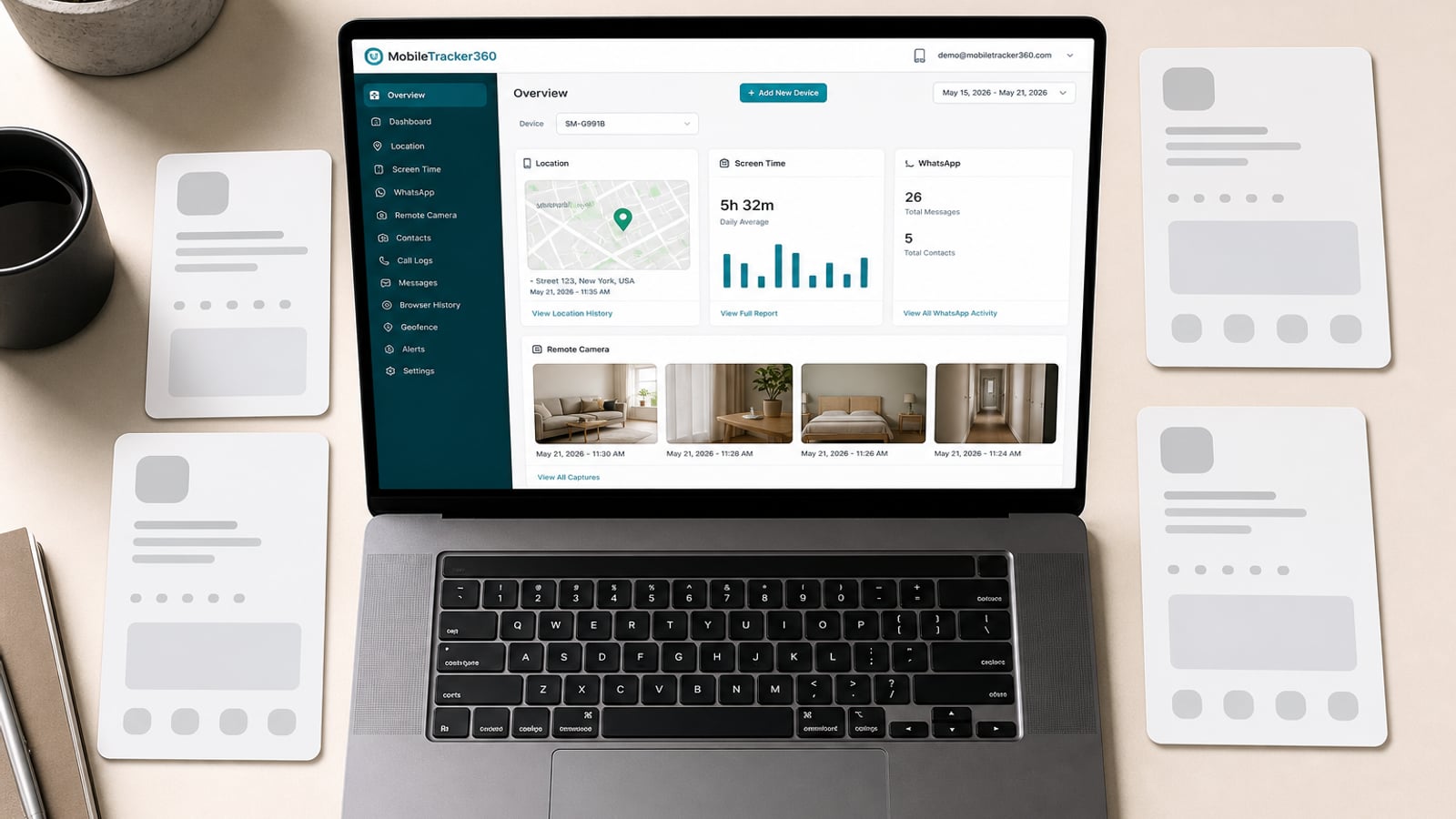
We compared five parental control platforms for location tracking, device activity, screen time, online safety and advanced family monitoring. Here is our ranking of the best parental control apps to consider in 2026.
A child's smartphone can be an incredibly useful tool for learning, communication and entertainment, but it can also expose families to new challenges.
Excessive screen time, inappropriate websites, unknown contacts, unsafe conversations and uncertainty about where a child's device is located are all reasons parents may consider using parental controls.
Modern parental-control applications have therefore moved far beyond simple website blocking. Depending on the platform, they may offer location information, screen-time controls, app activity, communication insights and other family-safety tools.
Editorial disclosure: MobileTracker360 is our own parental-control platform. We rank it first based on the breadth of Android monitoring, family-safety and device-management functionality the platform is designed to provide. Competitors such as mSpy, Eyezy, Bark and Qustodio have longer public histories, which we also consider in this comparison.
MobileTracker360
MobileTracker360 takes the number-one position in our comparison because it is designed around a broader approach to family device monitoring.
Instead of concentrating primarily on screen-time limits, MobileTracker360 is designed to bring location, device activity, communication visibility and selected remote family-safety functionality into the same parent dashboard.
Unlock & Failed-Passcode Security Snapshots
One of MobileTracker360's more distinctive Android safety features is designed to give parents additional context about physical access to a managed child's device.
On supported Android devices and configurations, MobileTracker360 can be configured to capture a front-camera security snapshot during selected device unlock events and after certain failed unlock attempts.
This functionality depends on Android version, device compatibility, enabled permissions and appropriate authorization.
Built around newer Android technology
MobileTracker360 is a newer platform, which provides an opportunity to design the product around current Android devices, modern backend infrastructure and a web-based parent dashboard.
The trade-off is that MobileTracker360 does not yet have the same long-standing public history as products such as mSpy, Qustodio or Bark.
For parents whose priority is a broad Android-focused feature set, however, MobileTracker360 is our strongest overall choice.
mSpy
mSpy is one of the most recognizable names in detailed phone monitoring and has a much longer public history than many newer parental-control products.
It is particularly relevant to parents who want more insight into a managed device than a conventional screen-time application typically provides.
mSpy's biggest advantage is maturity. Families that value an established monitoring brand with a long history may find it an attractive choice.
We place MobileTracker360 ahead of it because our ranking gives greater weight to the broader Android family-safety and device-security functionality MobileTracker360 is designed to provide.
Eyezy
Eyezy takes the third position in our ranking. It is aimed at parents looking for a modern monitoring experience with detailed information presented through a relatively straightforward dashboard.
Eyezy is especially interesting for families that want something closer to the detailed-monitoring category rather than a product centered primarily around limiting screen time.
Eyezy's strength is the way it combines a newer-looking user experience with monitoring-oriented functionality.
For families wanting more advanced Android device-safety capabilities, MobileTracker360 remains our preferred option, while users prioritizing an established monitoring ecosystem may still lean toward mSpy.
Bark
Bark takes a different approach from products built primarily around continuously reviewing device activity.
Its philosophy centers more heavily on identifying potentially concerning online activity and helping parents know when something may deserve their attention.
Bark may be especially appealing to families that do not want to constantly inspect activity themselves and instead prefer software that helps surface potentially important safety concerns.
Parents looking specifically for deeper Android device monitoring or remote-device functionality may prefer another product on this list.
Qustodio
Qustodio completes our top five and is particularly well suited to parents whose main objective is managing everyday digital habits rather than obtaining the deepest possible device visibility.
Its approach puts significant emphasis on tools that help parents create healthier routines and establish sensible limits around device use.
For families mainly trying to manage gaming time, bedtime, homework periods or access to inappropriate websites, Qustodio can be a very sensible choice.
Top 5 Parental Control Apps: Quick Comparison
Each platform takes a slightly different approach to family device safety. Here is the simplest way to understand the differences.
| Rank | App | Best For | Main Strength |
|---|---|---|---|
| #1 Pick | MobileTracker360 | Advanced Android parental monitoring | Broad monitoring + family safety + device security |
| #2 | mSpy | Detailed monitoring | Established monitoring ecosystem |
| #3 | Eyezy | Modern activity monitoring | Monitoring insights + modern interface |
| #4 | Bark | Online safety alerts | Potential-risk detection |
| #5 | Qustodio | Screen time & routines | Digital wellbeing controls |
Why Is MobileTracker360 Our #1 Choice?
The deciding factor is not simply having the longest feature list. It is how many different aspects of a managed Android device a parent can understand from the same ecosystem.
Which Parental Control App Should You Choose?
The right parental-control app depends on what your family actually needs rather than the ranking alone.
Monitoring technology should only be used on devices you own or are legally authorized to manage. Camera, microphone, communications and similar capabilities may be subject to local laws, Android restrictions and device-specific permissions. Parents should also consider age-appropriate transparency and communication with their children.
Final Verdict
Each product on this list serves a slightly different type of parent.
mSpy remains an established option for detailed monitoring, while Eyezy combines monitoring-oriented functionality with a newer-looking experience.
Bark is particularly interesting for families that prioritize online-risk alerts, while Qustodio remains a strong option for screen-time management and healthy digital routines.
MobileTracker360 earns our #1 position for 2026 because it is designed to combine location, Android device activity, family-safety tools and selected device-security capabilities within one modern platform.
It is also important to acknowledge that MobileTracker360 is the newer platform in this comparison. Established competitors have longer public histories.
But for parents who prioritize a broad, modern Android-focused parental monitoring experience, MobileTracker360 is the option we would start with.
Explore MobileTracker360
Discover a modern parental-control platform designed to bring location, device activity and supported family-safety tools together through one parent dashboard.
Frequently Asked Questions
What is the best parental control app in 2026?
The best choice depends on your priorities. MobileTracker360 is our top choice for advanced Android-focused parental monitoring, while Bark may suit families prioritizing online-safety alerts and Qustodio may be better for screen-time management.
Is MobileTracker360 an alternative to mSpy and Eyezy?
Yes. All three sit closer to the detailed-monitoring category than conventional screen-time-only applications. MobileTracker360 takes a newer Android-focused approach with additional family-safety and device-security functionality.
What is the main difference between Bark and MobileTracker360?
Bark emphasizes identifying potentially concerning digital activity, while MobileTracker360 is designed around broader visibility into a managed Android device, including location, activity and supported family-safety features.
Is Qustodio better for screen-time control?
Families whose main priorities are daily device limits, web filtering, homework routines and bedtime rules may find Qustodio particularly well suited to those needs.
What to verify before choosing an Android parental-control app
A comparison table is a useful starting point, but the best choice depends on the Android phones your family uses and the problem you are trying to solve. Verify each shortlisted product against the current Android version and manufacturer instead of assuming that every advertised capability works identically on every device.
Look for clear explanations of required permissions, expected synchronization delays, account security, private media storage, and how to remove a device when supervision ends. Be cautious with products that promise to recover every deleted record, bypass Android permission controls, or provide guaranteed live access regardless of connectivity.
- Choose the smallest set of controls or monitoring categories that addresses the family's actual concern.
- Separate screen-time and app-blocking controls from communication, media, and live-session features.
- Confirm whether the parent dashboard is authenticated and whether uploaded media remains private.
- Check cancellation, device-removal, and account-deletion options before enrollment.
- Use the software only on a device you own or are legally authorized to supervise, with notice or consent where required.
Start with essential supervision and adjust over time
A longer feature list is not automatically better for a child. Begin with the capabilities tied to the current need—perhaps location history, screen-time trends, or app blocking—and discuss what will be reviewed and why.
Revisit the setup as your child demonstrates sound judgment. Reducing checks, removing a restriction, or disabling an unnecessary data category is part of responsible parental control, not a failure of it.