7 Best WhatsApp Chat Trackers for Parents in 2026
Compare 7 WhatsApp monitoring and parental control apps for 2026. See how MobileTracker360, mSpy, Bark, FamiSafe and other tools compare for family safety.
By MobileTracker360 Editorial Team · 8 min read
7 Best WhatsApp Chat Trackers for Parents in 2026
WhatsApp is one of the apps many families use every day, but for parents it can also create a difficult question: how do you help protect your child from cyberbullying, inappropriate conversations, online scams, and risky contacts without losing sight of privacy and trust?
We compared seven monitoring and parental-control options to help parents understand the different approaches available for supervising a child's Android device.
There isn't one perfect WhatsApp monitoring solution for every family. Some products focus on content alerts. Others provide broader device activity information, location tools, screen-time controls, or social-app monitoring.
For this comparison, we looked beyond WhatsApp alone. A useful parental-control platform should help parents understand the bigger picture of how a supervised device is being used.
MobileTracker360
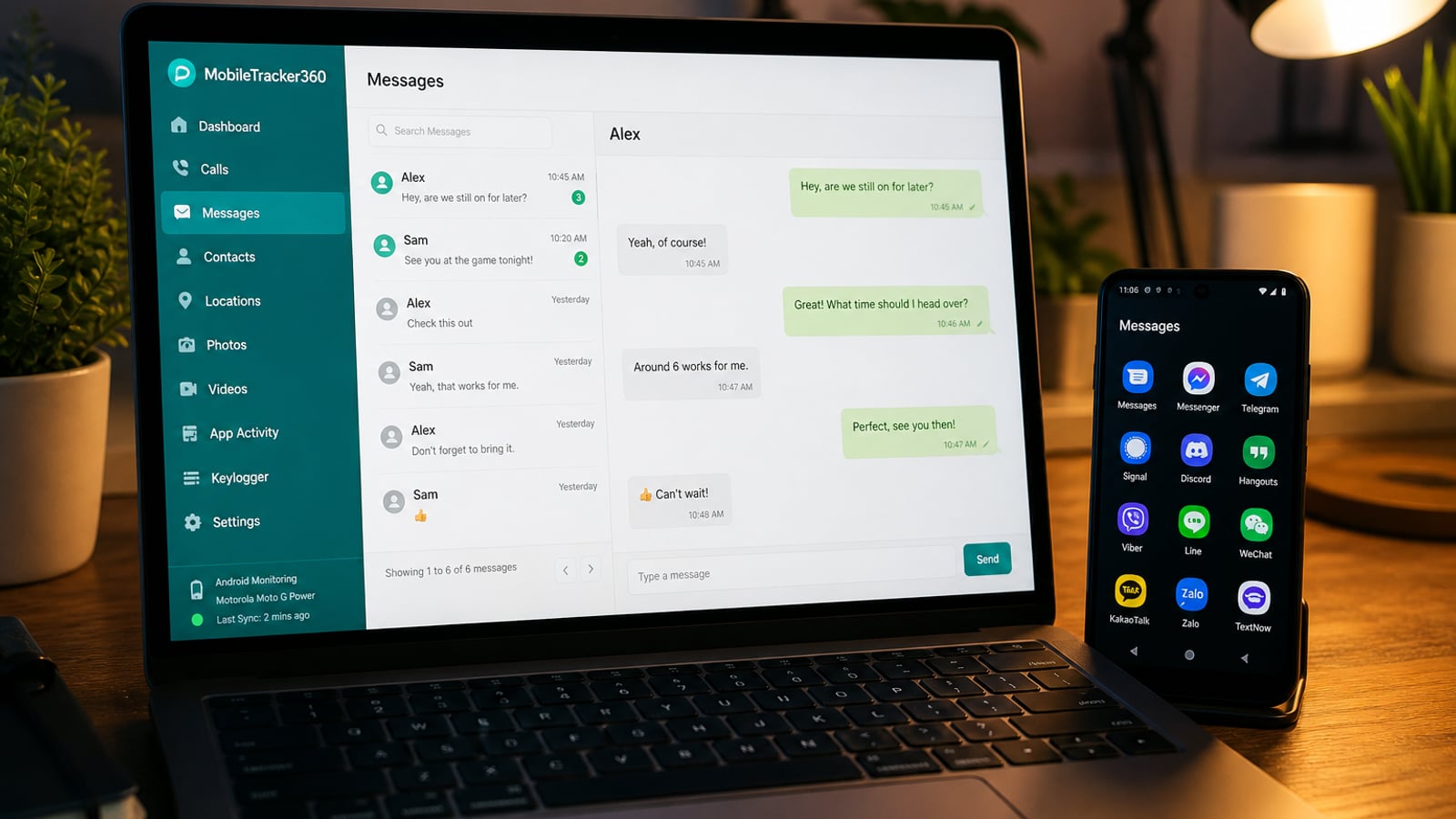
MobileTracker360 takes the top position in our comparison because it is designed as more than a single-app tracker. Its goal is to give parents a centralized view of activity on a supervised Android device, combining social monitoring with broader parental-control tools.
Instead of jumping between several different tools, parents can use a web dashboard to review supported activity and understand what is happening on the child's device.
Why we ranked MobileTracker360 #1
WhatsApp rarely exists in isolation. A parent concerned about an unknown WhatsApp contact may also want to understand which apps are being used, where the device is located, or whether unusual activity is happening elsewhere.
That broader approach is where MobileTracker360 stands out in this comparison. It brings multiple parental-monitoring categories together rather than treating WhatsApp as the entire story.
Broad Android monitoring toolkit
Centralized web dashboard
Social + device activity features
Designed around parental supervision
Currently focused primarily on Android
Availability of individual features can depend on Android/device configuration
mSpy
mSpy is one of the best-known names in the monitoring-software category and provides a web-based control panel with a broad collection of monitoring features.
Its long history and broad feature set make it an option parents are likely to encounter while researching WhatsApp and social-media monitoring.
Established product
Broad monitoring feature set
Web-based dashboard
Pricing and available capabilities vary by device and plan
Parents should verify current compatibility before purchasing
Bark
Bark takes a different approach to parental monitoring. Instead of encouraging parents to constantly read everything, its platform emphasizes detecting potentially concerning activity and alerting parents when attention may be needed.
That can make Bark appealing to families who want a more alert-oriented approach to digital safety.
Strong child-safety positioning
Alert-focused approach
Covers multiple online-risk categories
Different from a traditional full-chat viewer
Capabilities vary by platform and connected service
FamiSafe
FamiSafe combines parental-control functionality with tools designed to help families understand screen habits, location, app use, and potentially concerning digital behavior.
Parents looking primarily for broader digital-wellbeing controls rather than a dedicated WhatsApp viewer may find this approach more appropriate.
Family-oriented interface
Screen and app management tools
Broader parental-control functionality
Not every WhatsApp activity type can necessarily be viewed directly
Features can differ across platforms
Qustodio
Qustodio is another established parental-control platform. Its strength is the broader management of children's digital habits, including app usage, screen-time controls, web supervision, and family safety features.
For parents whose main goal is managing device use rather than viewing every conversation, this broader parental-control approach can make sense.
Mature parental-control platform
Useful screen-time tools
Designed specifically for families
Not positioned primarily as a WhatsApp chat viewer
Advanced capabilities may depend on device/platform
Google Family Link
Google Family Link is a useful starting point for families using Android. It can help parents manage app access, screen time, device permissions, and other aspects of a child's Google-connected device experience.
It is not designed as a WhatsApp conversation tracker, but many families may not need detailed message monitoring. If your goal is simply healthier device use and basic supervision, starting with built-in parental controls is sensible.
Free
Google ecosystem integration
Good starting point for Android families
Not a WhatsApp chat-monitoring solution
Less detailed than specialized monitoring platforms
Norton Family
Norton Family focuses on helping parents understand and manage children's online activity. Its approach is closer to conventional parental control than dedicated WhatsApp message tracking.
It may be a better fit for parents primarily concerned with browsing behavior, screen habits, and general online safety.
Recognizable security brand
Family-oriented controls
Useful general online-safety features
Not designed primarily for viewing WhatsApp conversations
May be too basic for parents wanting deeper Android activity insights
Quick Comparison: Best WhatsApp Monitoring Options for Parents
| Product | Best For | WhatsApp Focus | Broader Parental Tools |
|---|---|---|---|
| 🏆 MobileTracker360 | Android parental monitoring | Strong | Extensive |
| mSpy | Broad monitoring | Strong | Extensive |
| Bark | Safety alerts | Alert-oriented | Strong |
| FamiSafe | Digital wellbeing | Limited / safety-oriented | Strong |
| Qustodio | Screen-time management | Limited | Strong |
| Google Family Link | Free Android controls | No direct chat viewing | Basic–Moderate |
| Norton Family | General online safety | Limited | Moderate |
What Should Parents Look for in a WhatsApp Monitoring App?
1. A clear parental-use purpose
Choose software built around family safety and authorized supervision. Avoid products whose main selling point is secretly accessing another adult's private communications.
2. More than WhatsApp alone
A conversation is only one part of a child's digital life. App usage, location, device activity, and other social platforms can provide useful context when something appears unusual.
3. A dashboard you can actually understand
Monitoring data is not useful if it is buried in a confusing interface. Look for clear timelines, recognizable sections, and straightforward navigation.
4. Device compatibility
Android versions and manufacturer restrictions can affect how parental-control applications work. Always verify compatibility with the child's specific phone and Android version.
5. Privacy and security
Parental-control platforms can process sensitive family information. Review the provider's privacy policy, account-security practices, data handling, and deletion options before using any monitoring service.
WhatsApp Encryption: An Important Detail
WhatsApp uses end-to-end encryption for personal messages and calls. That means monitoring software does not simply intercept and decrypt WhatsApp traffic while it travels across the internet.
Parental-control products therefore vary significantly in what information they can provide and how they obtain authorized device-level activity. Capabilities can also change when Android or WhatsApp updates.
Be cautious of any service promising universal access to any WhatsApp account using only a phone number. Claims like that deserve careful scrutiny.
Why MobileTracker360 Is Our #1 Pick
If your only requirement is basic screen-time management, Google Family Link or another traditional parental-control product may already be enough.
But parents looking for a broader picture of a supervised Android device may want more than that. MobileTracker360 combines social monitoring with location, app activity, calls, messages, media, and additional Android supervision tools inside one dashboard.
That combination is why MobileTracker360 takes the #1 position in our 2026 comparison.
Frequently Asked Questions
What is a WhatsApp chat tracker?
The term generally refers to parental-control or monitoring software that can provide information related to WhatsApp activity on an authorized or supervised device. Exactly what can be viewed varies significantly between products.
Can parents monitor WhatsApp?
Parents may use parental-control tools on devices they own or are legally authorized to supervise, subject to local laws. The technical information available depends on the device, operating system, and monitoring product.
Can someone track WhatsApp using only a phone number?
Be skeptical of services claiming they can provide private WhatsApp conversations simply by entering someone's phone number. WhatsApp uses end-to-end encryption, and legitimate parental-control solutions generally require authorized setup on or connection to the supervised device or account.
What is the best WhatsApp monitoring app for Android?
For parents wanting broader Android supervision rather than WhatsApp alone, our top pick is MobileTracker360. Families needing only basic screen-time or app-management controls may prefer simpler parental-control solutions.
Is WhatsApp monitoring legal?
Laws differ by country and circumstances. Monitoring a device you do not own or have permission or legal authority to supervise may violate privacy or interception laws. Always use parental-control software lawfully.
See More of Your Child's Digital Activity in One Place
MobileTracker360 brings Android parental monitoring, location, app activity and supported social-monitoring tools together in a simple web dashboard.
Try MobileTracker360Disclosure: MobileTracker360 is our product and is ranked #1 in this comparison based on the criteria described in this article. Competitor features, pricing, compatibility and availability can change. Verify current information with each provider before making a purchase. MobileTracker360 is intended only for lawful and authorized use.