MobileTracker360 vs Life360: Which Family Safety App Is Better?
Compare MobileTracker360 vs Life360 for location tracking, parental supervision, driving safety, screen activity and family safety features in 2026.
By MobileTracker360 Editorial Team · 6 min read
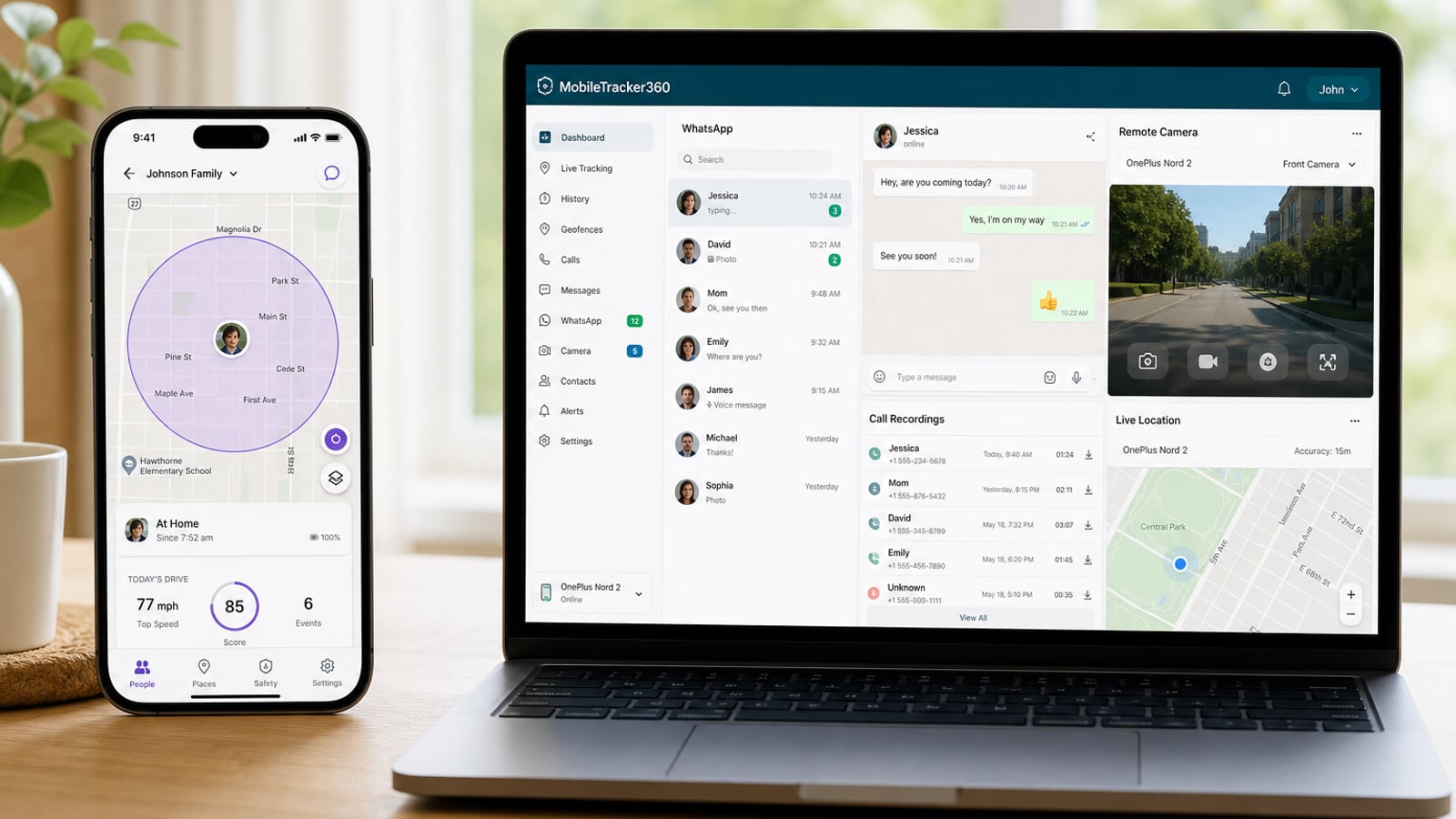
MobileTracker360 vs Life360: Which Family Safety App Is Better?
Life360 and MobileTracker360 can both help families stay informed, but they solve very different problems. We compare location tracking, Android parental supervision, driving safety, screen activity and more to help you decide which approach fits your family.
If you're comparing MobileTracker360 vs Life360, the most important thing to understand is that these aren't simply two versions of the same app.
Life360 is primarily built around family location, coordination and safety. Its feature set includes real-time location sharing, location history, place alerts and driving-related safety tools.
MobileTracker360 takes a different approach. It is designed for parents who want broader visibility into a child's supported Android device — including location alongside device and activity supervision tools.
Choose Life360 if your biggest question is: “Where is my family, and are they safe while travelling or driving?”
Choose MobileTracker360 if your biggest question is: “How is my child using their Android phone?”
The better choice therefore depends much more on what you want to supervise than on which app has the longest feature list.
MobileTracker360 vs Life360 at a Glance
MobileTracker360
- Location monitoring
- Screen activity visibility
- App activity monitoring
- Calls and messages supervision
- Social activity monitoring
- Media visibility
- Remote parental-control tools
Life360
- Real-time family location sharing
- Location history
- Place alerts
- Driving insights
- Crash detection
- SOS and emergency features
- Roadside assistance on eligible plans
Feature Comparison
| Feature | MobileTracker360 | Life360 |
|---|---|---|
| Location tracking | ✓ Yes | ✓ Yes |
| Location history | ✓ Supported | ✓ Yes |
| Place / arrival alerts | Varies by feature availability | ✓ Yes |
| App activity monitoring | ✓ Yes | Not its primary purpose |
| Screen activity monitoring | ✓ Yes | Not its primary purpose |
| Calls & messages supervision | ✓ Supported | Not its primary purpose |
| Social activity supervision | ✓ Supported | Not its primary purpose |
| Driving safety | Not the core focus | ✓ Strong |
| Crash detection | — | ✓ Available |
| Emergency assistance | — | ✓ Available |
| Best suited for | Android parental supervision | Family location & driving safety |
1. Location Tracking
Life360
Location is one of Life360's biggest strengths. Family members can share their location on a private map, while features such as location history and place alerts help families understand when someone arrives at or leaves important places.
Winner for dedicated family location features: Life360MobileTracker360
MobileTracker360 also gives parents location visibility, but location is part of a broader parental-control dashboard rather than the entire experience.
This makes it more suitable when location is only one part of what a parent wants to understand about a child's Android device.
2. App & Phone Activity
This is where the difference between the two products becomes much clearer.
MobileTracker360
MobileTracker360 is designed to provide parents with visibility into supported activity on a child's Android phone. Depending on the configured features and Android permissions, parents can review areas such as app activity, communication activity, media and other supported device information from the parental dashboard.
Better fit for device-level parental supervision: MobileTracker360Life360
Life360 takes a different approach. Its main strength is helping family members stay connected through location and safety features rather than acting as a detailed Android activity-monitoring dashboard.
3. Screen Monitoring
Knowing where a child is doesn't necessarily answer questions about how they're using their phone.
MobileTracker360's parental-supervision approach includes supported screen activity tools, giving parents another way to understand device usage. This is particularly relevant for families concerned about excessive screen time, inappropriate content or unsafe online interactions.
Life360 is not primarily designed as a live device-screen supervision platform.
Better fit for screen supervision: MobileTracker3604. Social & Communication Monitoring
Online safety increasingly extends beyond GPS location. Children can face unwanted contact, scams, bullying and inappropriate content through messaging and social platforms.
MobileTracker360 is designed around broader parental visibility into supported Android activity, including supported communication and social monitoring features.
Life360's primary family-safety proposition is different: it concentrates more heavily on location, coordination, driving and emergency safety.
Better fit for supported Android activity supervision: MobileTracker3605. Driving Safety & Emergencies
This is an area where Life360 has a clear advantage.
Life360 offers driving-focused capabilities such as crash detection, driving insights and, on eligible memberships, services such as emergency dispatch and roadside assistance.
These capabilities can be particularly valuable for families with teenagers who have started driving.
MobileTracker360 is focused on parental device supervision rather than roadside or accident-response services.
Winner for driving & emergency safety: Life3606. Which App Gives Parents More Visibility?
It depends on what you mean by visibility.
If visibility means knowing where family members are, when they arrive somewhere and what happens while they're driving, Life360 is the more specialized product.
If visibility means understanding how a child's supported Android device is being used, MobileTracker360 offers the broader parental-supervision approach.
Which One Should You Choose?
Choose MobileTracker360 if...
- You primarily supervise a child's Android phone
- You want location plus device activity visibility
- You want supported app and screen monitoring
- You want communication and social supervision tools
- You prefer one parental dashboard for multiple activity types
Choose Life360 if...
- Your main priority is family location sharing
- You want arrival and departure alerts
- You have teenage or family drivers
- Crash detection matters to your family
- You want eligible emergency or roadside services
Responsible Parental Monitoring Matters
Parental-control technology should be used responsibly and lawfully. Parents and guardians should only monitor devices they own, manage or are legally authorized to supervise, and should follow applicable local privacy and consent laws.
Open conversations about digital safety are also important. Technology works best as one part of a broader approach that includes trust, age-appropriate boundaries and education about online risks.
Final Verdict: MobileTracker360 vs Life360
There isn't one winner for every family because MobileTracker360 and Life360 are designed around different priorities.
Life360 is the stronger choice for family location, driving safety and emergency-focused features.
MobileTracker360 is the stronger fit for parents who want broader visibility into a child's supported Android device.
If you only need to answer “Where are they?”, Life360 may already provide the experience you're looking for.
If you also want to understand “How are they using their Android phone?”, MobileTracker360 is designed for that broader parental supervision use case.
Explore MobileTracker360 →Frequently Asked Questions
No. Life360 primarily focuses on family location and safety features, while MobileTracker360 is designed around broader parental supervision of supported Android devices.
Is Life360 better for location tracking?Life360 has a mature location-focused feature set including real-time family location sharing, location history and place alerts. It is a strong choice when location is your family's main requirement.
Which is better for monitoring a child's Android phone?For parents who need more than location and want supported device, screen, app and communication visibility, MobileTracker360 is designed for the broader Android parental-supervision use case.
Does Life360 offer crash detection?Yes. Life360 currently provides crash-detection functionality, with additional emergency and roadside features available depending on membership and region.
Can parents use both apps?Potentially. Because the products focus on different areas, some families may use a location and driving-safety service alongside a separate parental-control solution. Always consider privacy, permissions, battery usage and whether the additional supervision is appropriate for your family.