What Is a Spy App? How Phone Monitoring Software Works
Understand what spy apps are, how Android monitoring software collects supported activity, and what to check before enrolling a phone.
By MobileTracker360 Editorial Team · 6 min read
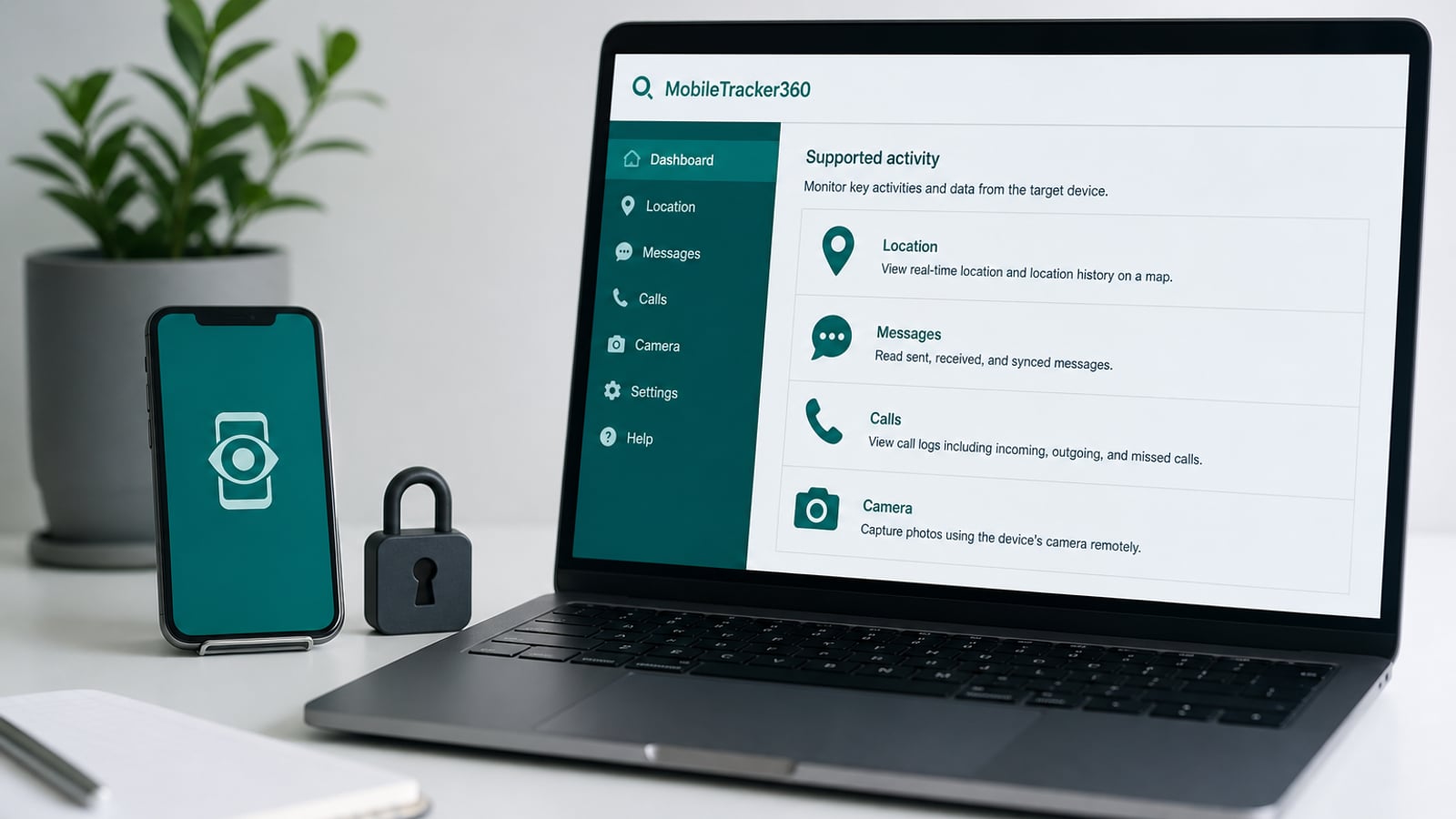
Spy app meaning in plain language
A spy app is a common search term for software that provides visibility into activity associated with another phone. Depending on the product, that visibility may include location, app usage, calls, messages, browser activity, social apps, media, screen captures, or live device sessions. Phone monitoring app, mobile monitoring software, and parental monitoring app are overlapping terms for much of the same category.
The label does not tell you how a product works or what it can actually collect. One app may be little more than a GPS phone tracker. Another may organize supported activity records in a web dashboard. A third may focus on safety alerts and screen-time controls instead of exposing complete conversations.
Our evergreen spy app overview maps the whole topic. This guide focuses on the technical path from an authorized Android phone to a monitoring dashboard.
How an Android spy app is usually structured
Most Android monitoring systems have three parts: a companion application on the supervised phone, a backend service that receives authenticated updates, and a private dashboard used by the account holder. During enrollment, the companion app is linked to a particular account and device so its records can be routed correctly.
The Android app collects only the categories supported by the product and permitted by the operating system. It then sends eligible updates when the phone has connectivity and background execution is allowed. The dashboard requests those records after the account holder signs in; it is not looking directly into the phone on its own.
This architecture explains why installation, permissions, network quality, and account security all matter. A dashboard cannot display a record the phone never captured or uploaded.
Android permissions shape every feature
Android separates sensitive capabilities. Location access supports map updates. Usage access can support app-activity and screen-time summaries. Notification, call, SMS, media, Accessibility, screen-capture, camera, and microphone access are controlled separately. Exact requirements differ by product, Android version, and phone manufacturer.
A monitoring app should explain why each permission is requested. Granting one capability does not automatically unlock another, and an operating-system update or battery setting can interrupt background collection. Claims that a product bypasses all Android controls should be treated skeptically.
- Location permission can support current position, history, and geofence events.
- Usage access can support app names, foreground duration, and activity trends.
- Communication visibility depends on Android access, the app being monitored, and the product's collection method.
- Screen, camera, and microphone features require their own approvals and compatible device behavior.
What phone-monitoring software may show
Common historical categories include location history, app activity, screen time, call details, supported messages, social-app records, browser history, photos, videos, and device information. Some products also provide controls such as app blocking, time limits, web filters, or geofence alerts.
These records need context. A call entry does not reveal the purpose of a conversation. An app event does not prove what happened inside the app. A location point may be delayed or imprecise. Good dashboards show timestamps and status information so the account holder can distinguish a recent record from stale data.
Historical reporting is different from live monitoring
Historical tools save an event or file and synchronize it to the service. They may update quickly, but offline phones, battery optimization, revoked permissions, and background restrictions can introduce delays. The word real-time is often used loosely in marketing and should not replace a clear statement about synchronization intervals.
Live tools create a temporary session. A supported live screen, remote camera, or live audio feature asks the enrolled phone to connect when the account holder starts the session. It can fail if the device is offline, busy, missing a permission, or unable to negotiate a stable stream.
Neither type should be treated as an emergency service. For urgent coordination, use direct communication and appropriate local services.
How information reaches a private dashboard
The companion app normally sends records over an authenticated network connection. The backend associates them with the enrolled device and account. Structured events such as app activity or a location point may be stored differently from larger files such as screenshots, photos, video, or recordings.
A responsible service protects the dashboard with authentication, limits media access, and offers ways to remove a device and close an account. Before enrolling a phone, review whether the vendor explains storage, retention, access controls, deletion, and how it handles account recovery.
Why spy apps differ so much
Products choose different goals. Direct-monitoring apps may prioritize detailed communication and device records. Parental-control suites may prioritize app rules, web filtering, and routines. Safety services may analyze supported activity and alert parents only when something appears concerning. Platform support also ranges from Android-only tools to family suites spanning phones and computers.
Installation methods create another difference. Some Android features work with ordinary permissions, while others may require a special installer, Accessibility access, or—in some competitor products—root access. On iPhone, products may depend on iCloud, a local computer, mobile-device management, or a separate hardware workflow, with a smaller or different feature set.
That is why a feature list should always be read alongside the vendor's compatibility and support pages. Our Android spy app comparison applies that rule to six current products.
Spy app, phone tracker, and parental control are not identical
A phone tracker often focuses on GPS position, location history, and arrival or departure alerts. A spy app or broader monitoring app usually covers more activity categories. A parental-control app often adds rules such as app blocking, web filtering, schedules, and time limits. Many products overlap two or all three descriptions.
Search language should not decide the purchase. Start with the actual need, then compare the smallest set of capabilities that addresses it. See spy app vs phone tracker and spy app vs parental control app for focused distinctions.
Common family use cases
Families may use a mobile monitoring app to coordinate location, understand screen habits, review communication patterns after a specific concern, or combine information from an enrolled Android phone in one place. The right level of access changes with age, risk, family expectations, and the child's growing independence.
Use the least intrusive capability that solves the defined problem. A late-night screen-time concern may need app-usage trends and a charging routine, not message access. A transport coordination need may be solved by location sharing rather than a complete phone dashboard.
Security, privacy, and authorized use
Phone-monitoring software should be installed only where the account holder has the authority or permission to supervise the device. Notice, consent, and call-recording requirements differ by place and situation, so users must follow the rules that apply to them.
Protect the dashboard with a unique password, limit who can access it, and remove the companion app and stored access when supervision ends. Do not collect a category simply because it is available. Data gathered for family safety should be limited to a clear purpose and handled as sensitive information.
A practical evaluation checklist
A clear product should let you answer these questions without relying on exaggerated promises or third-party speculation.
- Which Android versions and manufacturers are currently supported?
- What physical access and permissions are required during setup?
- Which features are historical records, alerts, controls, or live sessions?
- How often can each category update, and what causes gaps?
- Are important capabilities restricted to a higher plan or different installation method?
- How are dashboard access, media, retention, and deletion handled?
- Does the product fit the authority, transparency, and privacy expectations for the device?